

Workspace Settings
- Custom AMA (Ask Macroscope Anything) Instructions: customize how the agent responds to your team’s questions.
- Product Overview: give Macroscope context about your product to improve summaries.
- Weekly Cadence: set the day and time boundary for weekly reports (e.g. Friday 6pm to Friday 6pm).
- Digest Emails: add or remove recipients for weekly digest emails.
- Productivity Features: toggle coding time estimates, coding time module, and contributors module on/off. Can be limited to specific GitHub teams.
- External Contributors: control whether people with write access who aren’t in your GitHub org are included in summaries and/or productivity metrics.
- Web Search: allow Macroscope to search the web for additional context when generating summaries.
- Administrative Contact Email: email used for policy updates, support, and account communications.
- Teams: enable GitHub Teams to see team-specific productivity metrics in the Contributors module.
Personal Settings
Per-user preferences for code review and PR summaries. Each can be toggled on/off or set to follow the repo default:- Correctness: review PRs for logical errors and bugs
- Custom Rules: review PRs for violations of rules defined in your
macroscope.mdfile - Review my draft PRs: review draft PRs before they’re marked open
- Automatically merge Macroscope’s PRs: auto-merge Fix It For Me PRs when all checks pass
- Auto-summarize my PRs: control whether Macroscope generates PR summaries
- Post in PR description: post summaries in the PR description field (if empty or contains template markers), otherwise as a comment
Repo Settings
Select repos on the left and configure settings on the right. All settings below are per-repo and can be applied across multiple repos at once. Use Defaults to set the default for newly linked repos.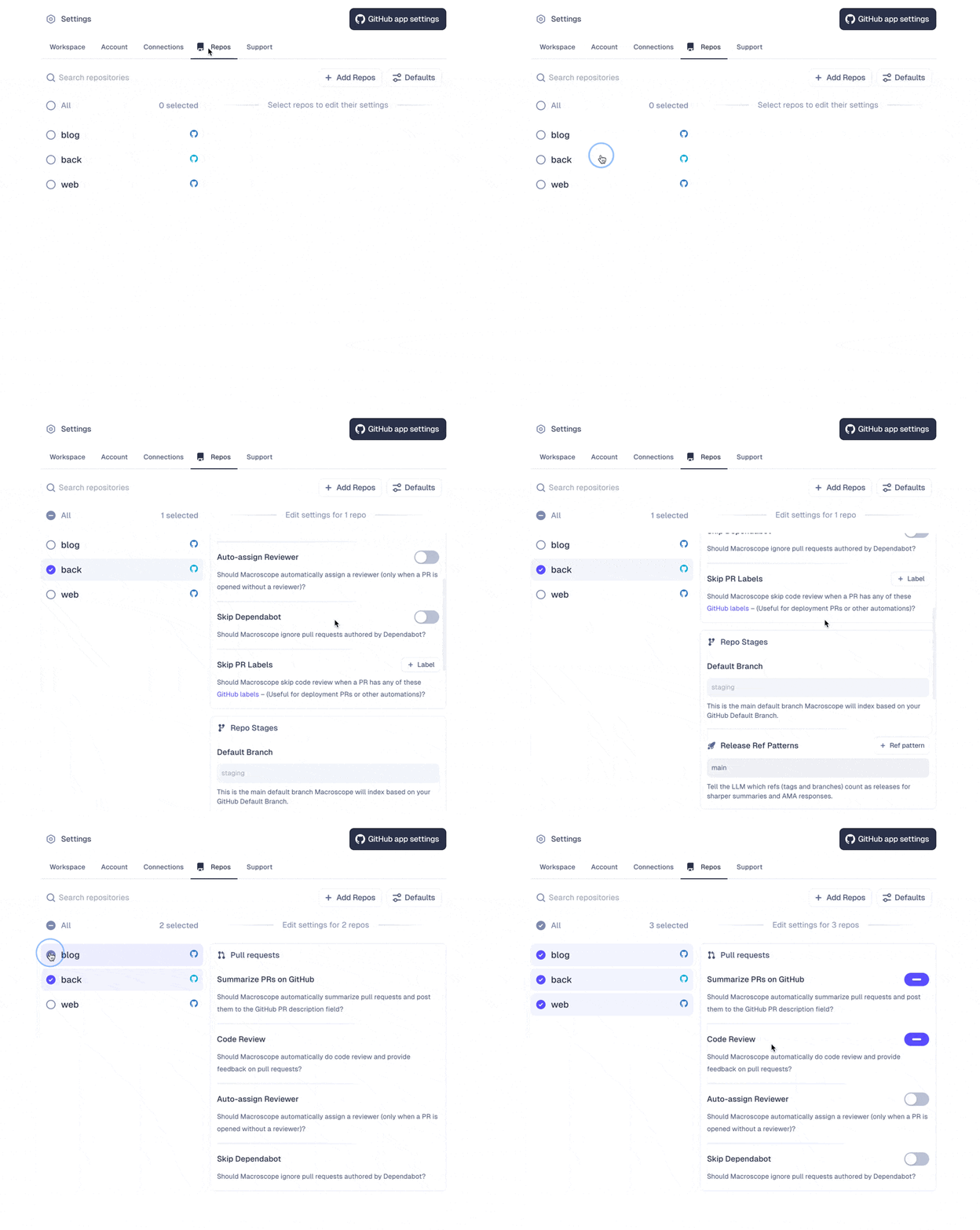
Pull Request Settings
- Correctness: toggle code review for logical errors and bugs
- Custom Rules: toggle review for violations of custom rules defined in
macroscope.md - Summarize PRs on GitHub: toggle auto-generated PR summaries
- Auto-assign Reviewer: assign a reviewer when a PR is opened without one
- Skip Dependabot: ignore PRs authored by Dependabot
- Skip PR Labels: skip code review for PRs with these GitHub labels (useful for deployment PRs)
- Always Review PR Labels: always run code review for PRs with these labels, even when repo-level review is disabled
Approvability Settings
Toggle on/off to allow Macroscope to auto-approve eligible PRs based on eligibility criteria and correctness checks you define. Learn more about Approvability.Repo Stages
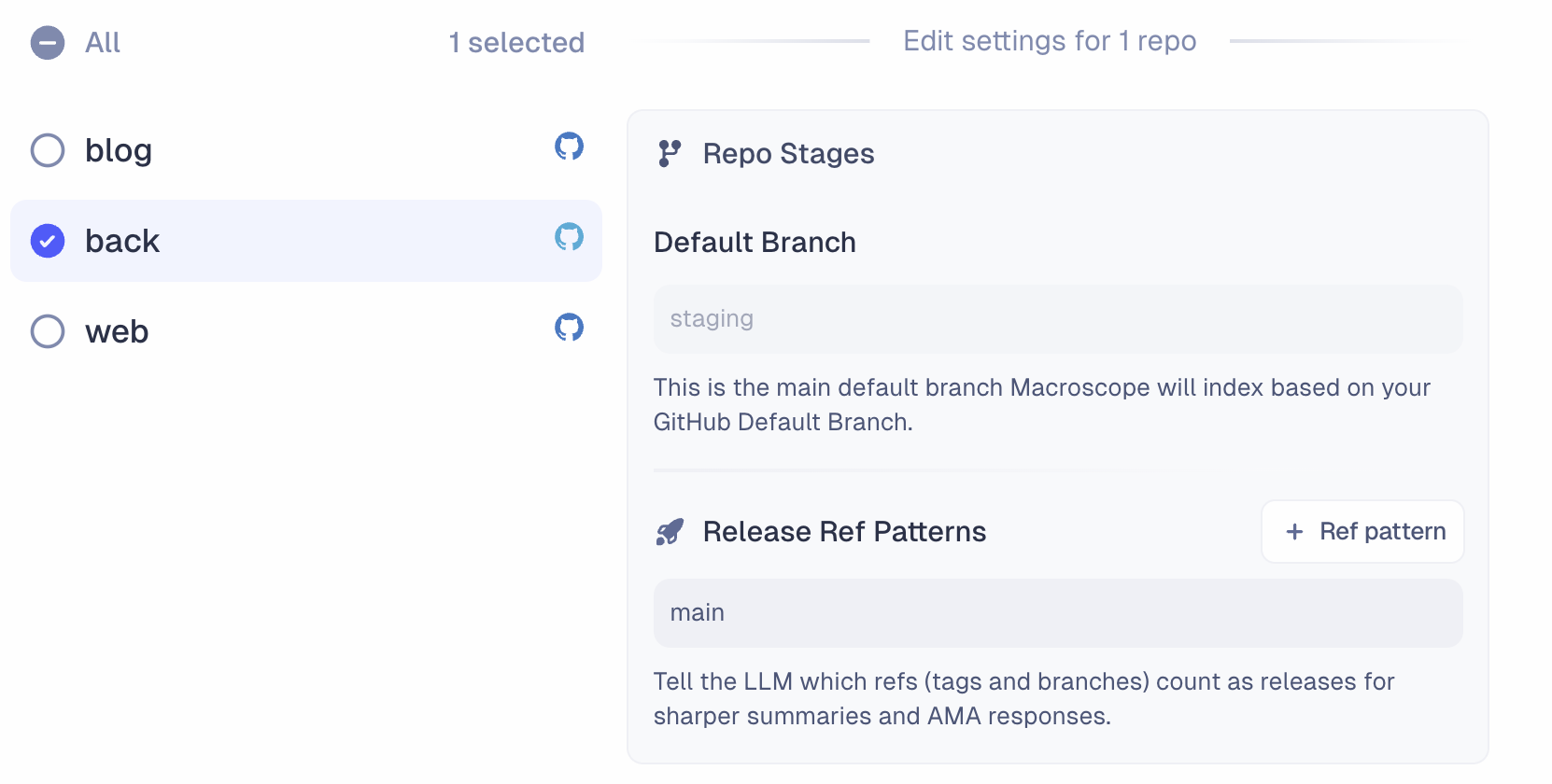
- Default Branch: the main branch Macroscope indexes, based on your GitHub default branch.
- Release Ref Patterns: tell Macroscope which refs (tags and branches) count as releases for sharper summaries and agent responses. Supports glob patterns like
release/*,release/**, orproduction.
Connections
Configure integrations with Slack, Jira, Linear, BigQuery, PostHog, LaunchDarkly, and GCP Cloud Logging. Each integration gives Macroscope more context and capabilities. Learn more about integrations.Webhooks
Create webhooks to trigger Macroscope’s agent from external services. Each webhook generates a unique trigger URL and API key. If you want results forwarded to an external URL (instead of Slack), that URL must be added to the allowlist here. Only GitHub admins can manage the allowlist. Learn more about the API.Support
- Slack Support Channel: open a shared Slack channel with the Macroscope team. Enter your Slack email address and we’ll send an invitation.
- Synchronize with GitHub: manually resync if your repos or data fall out of sync with GitHub.